Integrations
Inventory Management APIs: Guide for Small IT Teams
Learn how inventory management APIs sync ownership, locations, workflows, and audit data, with practical criteria for small IT teams choosing integrations.
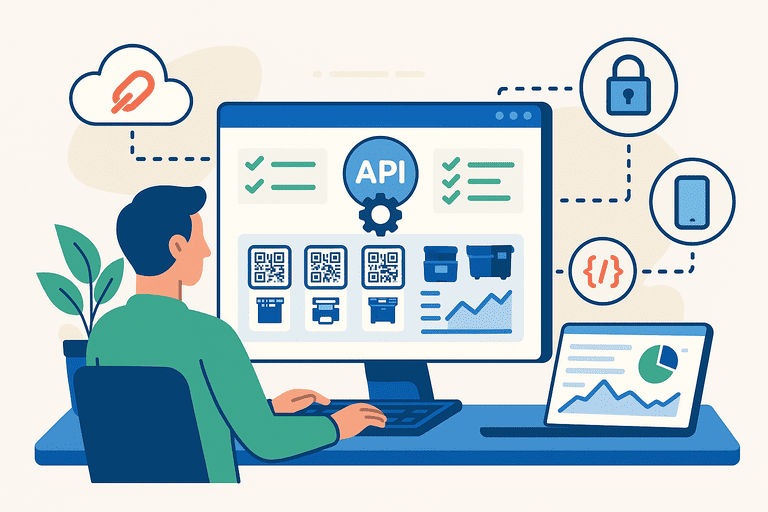
An inventory management API is the interface that lets an inventory system exchange asset records and workflow events with other tools. For a small IT team, the useful outcome is reliable synchronization of ownership, locations, status, and audit history without maintaining duplicate records in every system.
TL;DR (for small IT teams)
If you manage laptops and peripherals, an API integration should help you:
- keep HR onboarding/offboarding, assignments, and audit data consistent
- synchronize ownership, location, status, and other fields using stable record IDs
- automate handoff, return, maintenance, or verification workflows where the connected systems support them
- keep the inventory system as the agreed source of truth instead of silently creating competing copies
Start with the workflows that prevent losses: assignments, returns, and verification. Add broader integrations only after the first sync is observable and easy to reconcile.
Start here:
What an inventory management API actually does
An API does not make two systems consistent by itself. It provides the controlled interface through which an integration can read records, create or update records, and react to events. The integration still needs a field mapping, an owner, error handling, and a rule for resolving conflicts.
For inventory management, the most useful API jobs are:
- Synchronize identity and asset data: match employees, locations, asset IDs, serial numbers, and statuses across systems.
- Keep ownership and location current: update who has an item and where it is stored after onboarding, transfer, return, or relocation.
- Trigger workflow automation: start an assignment, return, maintenance, or verification step when a known event occurs.
- Provide controlled reporting data: send consistent records to finance, service desks, or analytics without giving every system unrestricted write access.
An API also has limits. “Real time” depends on event delivery, polling intervals, queue delays, and retries. A good design makes those limits visible rather than promising that every system is always synchronized instantly.
Buyer checklist: how to evaluate an inventory API
Before choosing an integration or inventory platform, ask these questions:
| Area | What to verify | Why it matters |
|---|---|---|
| Authentication | API keys or OAuth, scopes, rotation, and revocation | Limits access and makes credential changes recoverable |
| Data model | Stable IDs, asset/people/location relationships, custom fields, pagination, and filters | Prevents duplicate records and incomplete imports |
| Rate limits | Requests per minute/day, bulk endpoints, quota headers, and retry guidance | Keeps a sync reliable as the asset pool grows |
| Error handling | Validation errors, idempotency, retryable statuses, and a dead-letter or review path | Stops one bad record from silently blocking the queue |
| Webhooks | Supported events, signature verification, retries, replay behavior, and ordering guarantees | Makes event-driven workflows dependable |
| Auditability | Actor, timestamp, source, before/after values, and exportable change history | Lets the team explain and reconcile changes |
If a vendor cannot answer these questions, start with a read-only export or a small pilot. Do not make the integration the system of record until you know how conflicts, failed requests, and deleted records are handled.
Introduction
In the past, inventory systems operated as isolated tools — useful but limited. Today, businesses need systems that talk to each other: accounting software (see inventory-to-accounting integrations), HR databases (see inventory + HR device assignment), e-commerce stores, and logistics platforms.
That’s where APIs (Application Programming Interfaces) come in.
APIs act as controlled connectors between systems, allowing an integration to exchange data according to documented rules.
For inventory management, APIs can reduce manual effort and data silos when the integration has clear ownership, mappings, and reconciliation rules.
This article explains where APIs help modern inventory systems, what an integration must handle, and how a small IT team can roll one out safely.
1. What Is an API, in Simple Terms?
An API allows one software system to communicate with another using predefined rules.
Think of it as a translator — it enables two different platforms to share data and trigger actions without human involvement.
For example:
- Your inventory platform can send stock level updates to accounting software.
- An HR system can automatically assign laptops when new employees are onboarded.
- A maintenance app can receive service logs after each equipment check.
In short, APIs connect data and automate workflows that were once manual.
2. Why APIs Matter for Inventory Systems
Modern inventory management isn’t just about counting assets — it’s about visibility and automation.
APIs make this possible by connecting your inventory data with every system that depends on it.
Key advantages:
- Real-time updates: Prevent duplication and outdated information.
- Reduced manual input: No need to copy-paste between tools.
- Improved accuracy: One source of truth for all systems.
- Custom integrations: Tailor your workflows for specific use cases.
- Scalability: Add new tools without reworking your entire tech stack.
Whether you’re managing ten devices or ten thousand, APIs make it possible to scale without chaos.
3. Common Use Cases for Inventory APIs
1. HR and Employee Management
When an employee joins, changes team, or leaves, an integration can synchronize the employee record and create an assignment or return task. Whether it can automatically assign or revoke assets depends on the permissions and workflow support in both systems.
The important checks are the employee identifier, the employment-status event, and the rule for handling an employee who already has an open assignment.
2. Accounting and ERP
Connect to accounting or ERP platforms for workflows such as:
- depreciation or capitalization data
- expense categorization
- capital asset reconciliation
Confirm which system owns the financial values and whether the inventory integration is read-only or allowed to write back.
3. Maintenance Management
Send maintenance schedules or receive service logs from a maintenance platform. The inventory record should remain clear about whether an item is available, in repair, or awaiting verification.
4. E-Commerce and Retail
Sync product stock levels and shipping status between warehouses, point-of-sale systems, and online stores when the use case is inventory stock rather than employee equipment.
5. Communication Tools
Send notifications when assets are checked out, overdue, or require service. Keep the source record in the inventory system; chat should surface the next action rather than become the audit log.
Used well, APIs make inventory data available to the teams and systems that need it without turning every system into a second source of truth.
4. API Architecture in Modern Inventory Systems
Many modern systems use RESTful APIs (Representational State Transfer), but the documentation and behavior matter more than the label. Some systems also expose GraphQL, bulk exports, or event streams.
Typical REST API components:
| Component | Example | Description |
|---|---|---|
| Endpoint | /api/assets | Path to access asset data |
| Method | GET, POST, PATCH, DELETE | Defines action type |
| Authentication | API key or OAuth token | Secures access |
| Response format | JSON | Machine-readable data |
For example:
GET /api/assets?status=active
{
  "results": [
    { "id": "123", "name": "Laptop Dell", "location": "Berlin Office" },
    { "id": "124", "name": "Projector Epson", "location": "Paris Office" }
  ]
}
This kind of interface lets an integration read or update asset data programmatically. Delete operations should be restricted, logged, and used only when the data-retention policy allows them.
5. Security and Access Control
Because APIs connect critical business systems, security is non-negotiable.
Best practices include:
- Use API keys or OAuth 2.0 with least-privilege scopes and a rotation plan.
- Apply role-based access to limit what integrations can modify (see role-based permissions in inventory systems).
- Use HTTPS for all data exchange.
- Respect rate limits and use bounded retries with backoff.
- Validate webhook signatures and protect replay-sensitive endpoints.
- Log every API request and material record change for audit trails.
Security design ensures APIs empower your operations — not expose them.
6. Example integration workflows
Workflow 1: Employee device assignment
- The HR system creates or updates an employee record.
- The integration matches the employee using a stable identifier.
- The inventory system creates an assignment task or updates the approved assignment.
- IT confirms the handoff and records the asset condition.
Workflow 2: Maintenance escalation
- A maintenance platform reports a repair request or service event.
- The integration links it to the asset record.
- The inventory status changes to “Under Maintenance” only after the workflow rule is satisfied.
Workflow 3: Finance reconciliation
- The inventory system exports the approved asset and lifecycle fields on a schedule.
- Accounting software imports the fields it owns, such as depreciation or capitalization values.
- Exceptions return to a review queue instead of overwriting the source record silently.
These examples reduce repetitive work, but they do not remove the need for an owner who reviews failures and resolves conflicting records.
7. A safe rollout sequence for small IT teams
Use a narrow rollout before connecting every system:
- Choose the source of truth: decide which system owns each field, such as employee identity, asset status, location, and financial value.
- Map stable identifiers: document how the systems match people, assets, and locations. Never rely on a display name alone.
- Start read-only: import or export a small sample and compare the results with the source records.
- Add one write workflow: choose a low-risk update, such as a location change or assignment task, and log every result.
- Add events and retries: introduce webhooks or polling only after authentication, rate limits, error handling, and replay behavior are understood.
- Reconcile regularly: compare counts, timestamps, and exception queues so drift is visible before it becomes a missing-asset problem.
This sequence gives a small team a useful integration without assuming that every API is complete, synchronous, or safe for unrestricted two-way writes.
8. Future Trends in Inventory APIs
Emerging trends are pushing inventory APIs beyond simple integration:
- GraphQL APIs for flexible data queries.
- Webhooks for instant real-time updates (push notifications).
- IoT integrations for smart assets that update themselves.
- Cross-system AI analytics that predict maintenance or utilization needs.
As systems become more interconnected, APIs form the nervous system of business operations.
FAQ
What’s the first API integration small IT teams should build?
Usually HR onboarding/offboarding (create/disable users, trigger assignment/return workflows). That’s where “missing equipment” problems start.
Are webhooks necessary?
Not always, but they help when you need real-time actions (alerts, escalations, automatic updates). Start simple and add webhooks when polling becomes a bottleneck.
How do you keep API-driven workflows audit-ready?
Log every change (who/when/what) and run verification regularly: IT Asset Audit Checklist (for Small IT Teams).
Conclusion
In a world where software ecosystems define efficiency, APIs make inventory systems adaptive and future-proof. They eliminate silos, ensure data consistency, and connect every part of your business — HR, finance, logistics, and operations — in real time.
APIs aren’t just technical features; they’re the bridge that transforms inventory management from static to dynamic.
Related reading
- Asset tracking built for small IT teams
- IT Asset Audit Checklist (for Small IT Teams)
- IT Asset Management Hub
- Inventory Integration Checklist for Small Teams (ERP-Lite Setup)
- Inventory Management Integrations with Accounting Software
- Linking Asset Maintenance Data to Accounting and Budget Forecasting
- Migrating from Legacy Systems to Modern Inventory Tools
- Integrating Inventory with HR: Tracking Devices by Employee
- Building a Mobile-First Asset Management Strategy
Methodology
- This page was reviewed against adjacent InvyMate workflow pages and the external references listed below.
- Recommendations are written for practical asset-tracking operations and are intended to stay specific about workflow scope, tradeoffs, and implementation boundaries.
- This page was reviewed as an integration and systems-boundary guide, with the expectation that smaller teams may need ERP-light or staged implementation paths.
Related Standards and Guidance
- IAS 16 Property, Plant and Equipment · IFRS Foundation
- NIST SP 800-171 Rev. 3 · NIST
Try InvyMate
Start tracking assets with QR codes and scheduled audits.