Cost Savings
Preventive vs Reactive Maintenance: Cost Comparisons
A cost comparison of preventive vs reactive maintenance—and when planned maintenance reduces downtime and spend.
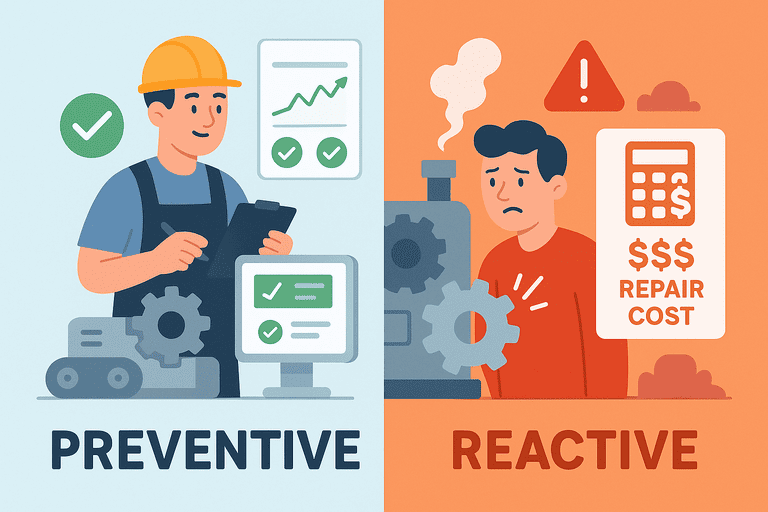
Use preventive maintenance when the cost of failure is higher than the cost of a simple inspection, repair, or planned replacement. Use reactive maintenance when replacement is faster, cheaper, and operationally low-risk.
TL;DR
- Preventive maintenance is usually worth it for laptops, printers, meeting-room devices, and other equipment that repeatedly interrupts work.
- Reactive maintenance is usually smarter for low-cost accessories that are faster to replace than to inspect.
- The goal is not to prevent every failure. It is to spend maintenance time where it delivers the biggest operational return.
Introduction
Small IT teams do not need a maintenance program for every asset. They need one that matches the equipment they actually support.
The real choice shows up in day-to-day decisions such as:
- do we inspect laptop batteries before failure, or wait for tickets?
- do we replace docks after repeated issues, or keep troubleshooting them?
- do we inspect printers quarterly, or only react when someone reports a problem?
This guide compares preventive and reactive maintenance for office and IT equipment so teams can decide what deserves scheduled attention and what should stay on a simple replace-on-failure model.
Quick Decision Table
| If the asset... | Default approach |
|---|---|
| Costs under roughly $30 to replace | Reactive |
| Stops multiple employees from working | Preventive |
| Frequently fails | Preventive |
| Is rarely used | Reactive |
| Requires compliance or verification checks | Preventive |
1. The Difference in Plain Terms
| Strategy | What it means | Typical small-team example |
|---|---|---|
| Reactive maintenance | Fix or replace something only after it fails | Replace a dead charger or swap a faulty mouse after a user reports it |
| Preventive maintenance | Check, service, or replace earlier to reduce disruption | Review battery health, inspect printers quarterly, or replace a failing dock before repeat outages |
Reactive work looks cheaper at first because nothing happens until a problem appears. Preventive work costs time earlier, but it reduces surprise failures, rushed purchasing, and repeated troubleshooting later.
2. The 4-Question Maintenance Framework
Before scheduling preventive maintenance, ask:
- Is the asset expensive to replace?
- Does failure interrupt multiple people?
- Does this asset fail repeatedly?
- Is the inspection cheaper than the failure?
If the answer is yes to most of these, preventive maintenance is probably worthwhile.
3. Preventive Maintenance Costs Money, but Surprise Failures Usually Cost More
Preventive work might include:
- 15 minutes to inspect a laptop or dock
- replacing a battery before it fails
- cleaning or testing a meeting-room device during scheduled maintenance
Reactive work often includes:
- emergency replacement
- user downtime
- urgent purchasing
- repeated troubleshooting
- unplanned support tickets
Small preventive costs are usually easier to budget than unexpected failures.
4. Asset-by-Asset Recommendations
| Asset | Strategy | Why |
|---|---|---|
| Laptop | Preventive | Downtime can affect one employee for hours and battery or health issues often show warning signs first |
| Dock | Mixed | Replace recurring failures, ignore isolated defects |
| Mouse / cheap accessory | Reactive | Replacement is usually cheaper than scheduled attention |
| Printer / meeting-room device | Preventive | Shared equipment failures affect many users at once |
| Server UPS / critical office infrastructure | Preventive | Failure impact is high enough to justify planned checks |
| Monitor | Mostly reactive, sometimes mixed | Replace isolated faults; intervene earlier if the same model fails repeatedly |
Preventive maintenance also helps identify when repair is no longer economical and an asset should move into the replacement cycle.
Related planning guide: Asset Aging and Replacement Models: How to Budget for Refresh Cycles.
5. When Reactive Is Actually the Smarter Choice
Reactive maintenance is often the better choice when:
- replacement takes minutes
- the asset is inexpensive
- failure has little operational impact
- the item is not business-critical
This is why it rarely makes sense to inspect every charger or adapter on a schedule. The goal is not to prevent every failure. It is to prevent expensive failures.
6. Do Not Over-Maintain
Preventive maintenance can go too far.
Not every asset deserves scheduled attention. Inspecting every charger every month wastes time and usually delivers very little value.
The better question is not "Can we inspect this?" It is "Does inspection save enough disruption or money to justify the effort?"
7. Real Company Example
A 25-person company supports:
- 45 laptops
- 12 meeting-room devices
- 60 monitors
- 80 chargers
The team decides:
- batteries reviewed annually
- printers and meeting-room devices inspected quarterly
- chargers replaced only after failure
- monitors replaced only when faults repeat
That reduces unnecessary maintenance while still preventing the failures that interrupt work the most.
8. Simple Maintenance Workflow
Keep the workflow manageable:
- List the asset categories you actually support.
- Mark which ones are business-critical, shared, or failure-prone.
- Define one preventive check per high-impact category.
- Record each inspection, repair, and replacement in one place.
- Review repeat issues quarterly.
Preventive maintenance only improves over time if each inspection, repair, and replacement is recorded. Without history, teams tend to repeat the same troubleshooting because they cannot see patterns.
Useful references:
9. Metrics That Matter
Use practical metrics that help you decide whether the maintenance effort is paying off:
- repeat failures by model
- emergency purchases per quarter
- average repair cost
- percentage of assets replaced after unexpected failure
- percentage of high-risk assets reviewed on schedule
You do not need an advanced predictive-maintenance stack to improve. You need enough history to see recurring patterns and enough discipline to act on them.
10. Common Mistakes
- treating every asset like it needs the same maintenance intensity
- running purely reactive support on equipment that repeatedly breaks
- doing preventive work without recording what changed
- over-maintaining low-cost accessories
- delaying refresh decisions until after failure
FAQ
How often should laptops be inspected?
That depends on age, usage, and failure history, but annual battery and health review is a practical starting point for many small teams.
Should monitors receive preventive maintenance?
Usually not on a heavy schedule. Most teams should stay reactive unless the same monitor model fails repeatedly or the monitor supports a shared critical workflow.
Is preventive maintenance worth it for small businesses?
Yes, when it targets high-impact equipment. It is usually not worth applying evenly across every asset type.
When should equipment be replaced instead of repaired?
Replace it when repair cost, downtime risk, and repeat-failure history together make continued maintenance less economical than moving the asset into the refresh cycle.
Conclusion
Most small IT teams do not need a maintenance program for every asset. They need one for the assets that repeatedly interrupt work.
Preventive maintenance works best when it focuses on high-impact equipment, while low-cost accessories stay on a simple replace-on-failure model.
The goal is not to eliminate failures. It is to spend maintenance time where it delivers the biggest operational return.
Related reading
- IT and Office Equipment Maintenance Schedule (Small-Team Template)
- Asset Aging and Replacement Models: How to Budget for Refresh Cycles
- Asset Audit History
- Assignments & History
- How Poor Asset Tracking Increases Operating Costs
- The True Cost of Manual Check-In/Out Systems
- Hidden Costs of Replacing Lost Office Equipment
Methodology
- This page was reviewed against adjacent InvyMate workflow pages and the external references listed below.
- Recommendations are written for practical asset-tracking operations and are intended to stay specific about workflow scope, tradeoffs, and implementation boundaries.
- This page was reviewed as a selection or evaluation guide, so recommendations are framed around fit, admin overhead, and execution realism rather than exhaustive vendor coverage.
Related Standards and Guidance
- IAS 16 Property, Plant and Equipment · IFRS Foundation
- CIS Critical Security Control 1: Inventory and Control of Enterprise Assets · Center for Internet Security
Try InvyMate
Start tracking assets with QR codes and scheduled audits.