Comparisons
Asset Tracking Software vs ERP Modules: What to Choose?
Asset tracking software vs ERP modules—compare cost, complexity, and usability to decide what fits your team and scale.
If your team mainly needs clean ownership, faster returns, QR workflows, and reliable audit history, dedicated asset tracking software is usually the better first move than an ERP module.
Introduction
Small IT and operations teams often ask whether they should buy a dedicated asset tracking tool or solve the problem inside an ERP.
That sounds like a platform question, but it is usually a workflow question:
- do you need fast rollout?
- do staff need mobile scanning?
- is the main problem ownership drift, not finance reporting?
- do you need a simple operating model before heavier integration?
If the answer is yes, dedicated asset tracking software is usually the better fit.
Quick Decision Rule
Choose asset tracking software first if you need:
- QR or barcode workflows
- easy assignment and return tracking
- faster adoption by non-specialist staff
- one clean system of record before broader integration
Choose an ERP module if you already run the ERP deeply across finance and operations and asset tracking is only one part of a larger standardized rollout.
What Dedicated Asset Tracking Software Does Better
Asset tracking software is built for day-to-day equipment workflows.
Typical strengths:
- mobile-first scanning
- fast setup
- simpler ownership and return workflows
- audit and assignment history
- easier training for lean teams
If integrations are a deciding factor, review: API access.
What ERP Modules Do Better
ERP modules are stronger when the business needs one large operating system across departments.
Typical strengths:
- shared finance and procurement context
- wider enterprise reporting
- standardized workflows across multiple functions
- deeper cross-department process alignment
That comes with more complexity, more implementation effort, and often more dependence on specialist admins.
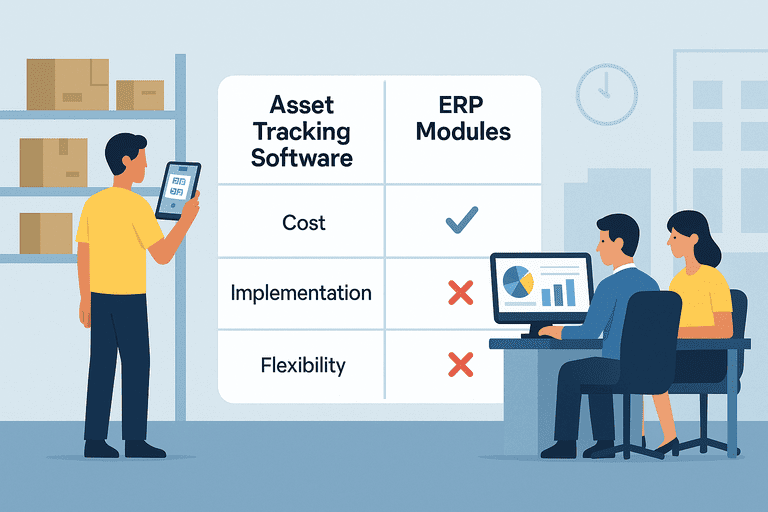
Comparison Table
| Factor | Asset tracking software | ERP modules |
|---|---|---|
| Setup speed | Faster | Slower |
| Ease of use | Simpler for daily operators | Heavier training burden |
| Mobile scanning | Usually a core workflow | Often less central |
| Scope | Focused on asset operations | Broader business platform |
| Admin overhead | Lower for small teams | Higher for small teams |
| Best fit | Lean teams solving asset workflow problems | Organizations already committed to ERP-first operations |
When ERP Becomes Overhead
ERP is often too heavy when the real problem is operational drift, for example:
- no one trusts the spreadsheet
- assignments are unclear
- returns are missed
- audits take too long
- staff need scan-based workflows, not more fields
In those cases, the team usually needs a tighter operational layer first, not a bigger platform.
If you are also comparing hosting and rollout complexity, use: Cloud vs On-Prem Asset Tracking: What Small IT Teams Should Choose.
A Better Sequence for Small Teams
For many teams, the lower-risk sequence is:
- adopt dedicated asset tracking software
- stabilize assignments, audits, and returns
- clean up role access and operational ownership
- integrate finance or ERP systems later if needed
This avoids pushing messy workflows into a larger system before the process is stable.
Example Scenarios
Small internal IT team
A small company needs to track laptops, monitors, docks, and employee returns.
Best fit: dedicated asset tracking software.
Mid-sized team with existing ERP pressure
The finance team already works in ERP, but day-to-day device tracking is weak.
Best fit: often still dedicated asset tracking software first, then integrate later.
Large enterprise standardization project
The organization already runs procurement, finance, HR, and operations through ERP with internal specialists supporting rollout.
Best fit: ERP module may make sense if asset workflows fit the broader architecture.
Common Mistakes
- choosing ERP because it feels more complete even when the workflow problem is still basic
- underestimating adoption friction for frontline users
- treating finance integration as more urgent than ownership accuracy
- forcing a large-platform rollout before asset operations are stable
Conclusion
For small teams, dedicated asset tracking software usually wins because it solves the immediate workflow problem with less overhead.
ERP modules have a place, but they make the most sense when the organization is already operating ERP-first and can absorb the extra complexity.
Related reading
- Cloud vs On-Prem Asset Tracking: What Small IT Teams Should Choose
- Asset tracking built for small IT teams
- API access
- Excel vs InvyMate: Why Spreadsheets Fail at Asset Tracking
- Visual Dashboards vs Tabular Reports: When to Use Each
- How Poor Asset Tracking Increases Operating Costs
- Inventory Tech Stack Hub
Methodology
- This page was reviewed against adjacent InvyMate workflow pages and the external references listed below.
- Recommendations are written for practical asset-tracking operations and are intended to stay specific about workflow scope, tradeoffs, and implementation boundaries.
- This page was reviewed as a comparison or buyer-evaluation page, so the emphasis is on workflow fit, rollout effort, and operational tradeoffs rather than feature-list breadth.
Related Standards and Guidance
- IAS 16 Property, Plant and Equipment · IFRS Foundation
- NIST SP 800-171 Rev. 3 · NIST
Try InvyMate
Start tracking assets with QR codes and scheduled audits.