Templates
Equipment Maintenance Schedule Template for IT Teams
A copyable equipment maintenance schedule template for small IT and office teams covering task cadence, ownership, completion tracking, and review routines.
Own the narrow maintenance-template intent while routing broader strategy questions back to the main maintenance planning and repair-vs-replace pages.
- Asset Lifecycle Management Hub · hub overview
- IT Equipment Maintenance Schedule Template for Small Offices · related article
- Preventive vs Reactive Maintenance: Cost Comparisons · related article
- Condition Tracking: When to Repair vs Replace for Teams · related article
Audience: Small IT and office teams that need a copyable maintenance schedule template with owners, cadences, and completion tracking
How To Run Inventory Sessions · guide
Maintenance Scheduling · feature page
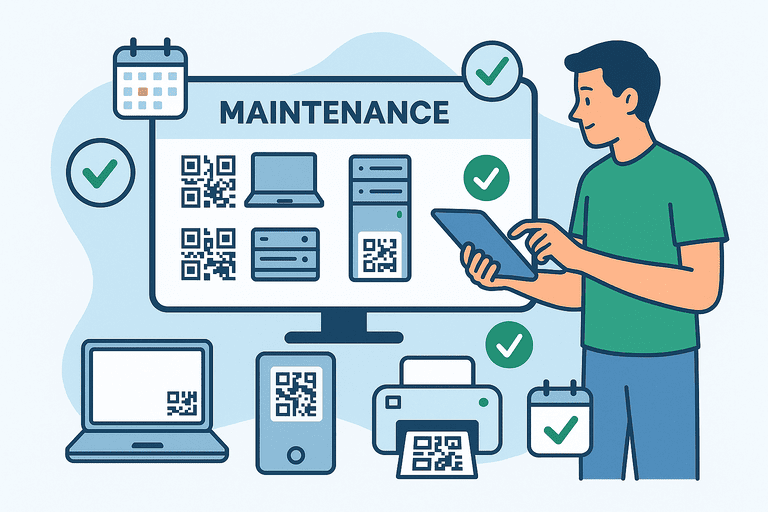
If you need an equipment maintenance schedule template, the useful version is not a giant CMMS export. It is a simple working template that tells a small team what to check, how often to check it, who owns the task, and where the result gets logged.
Introduction
Many teams already know they should “do preventive maintenance.” The gap is usually execution:
- no standard task list
- no owner per task
- no simple review cadence
- no place to record what actually happened
This page owns the narrow template intent. If you need the broader strategy page first, use: IT and Office Equipment Maintenance Schedule Template.
TL;DR
- Use one template for laptops, printers, network gear, UPS devices, and shared office equipment.
- Keep the structure simple: asset group, task, cadence, owner, last done, next due, notes.
- Start with monthly and quarterly tasks before adding more frequency.
- Build the schedule from a stable asset list: IT Asset Register Template (CSV).
Copy/Paste Maintenance Schedule Template
Use this header if you want a spreadsheet-first schedule:
asset_group,asset_example,maintenance_task,frequency,owner,last_completed_date,next_due_date,log_location,notes
1. What Goes in the Template
The template should answer these questions:
- what asset group is covered
- what task needs to happen
- how often it should happen
- who owns it
- when it was last completed
- where the proof or notes live
That is enough structure for most small IT and office teams.
2. First-Pass Schedule for Small Teams
Start here before you customize anything:
| Asset group | Example tasks | Default cadence | Owner |
|---|---|---|---|
| Laptops and desktops | clean vents, review battery health, confirm updates | Quarterly | IT |
| Printers and scanners | diagnostics, consumables check, jam cleanup | Monthly or quarterly | Office admin + IT |
| Routers and switches | firmware review, config backup, status check | Quarterly | IT |
| Shared monitors and docks | cable check, port check, spare replacement | Quarterly | IT or office ops |
| UPS and surge protection | battery inspection, self-test, replacement review | Biannual | Vendor or facilities |
| Shared room equipment | projectors, cameras, adapters, conference gear | Monthly or quarterly | Office ops |
If you need the fuller explanation behind these cadences, continue to the broader guide: IT and Office Equipment Maintenance Schedule Template.
3. How To Fill the Template Without Overbuilding It
Start with asset groups, not every minor accessory
Track the items whose failure creates downtime, security risk, or repeated support work.
Use one owner per line
If ownership is shared, tasks slip. Put one role on the line, even if another team helps.
Keep notes operational
Good notes:
- battery health below threshold
- fan noise increasing
- dock replaced after port failure
- firmware updated successfully
Bad notes:
- checked
- done
- ok
Use one logging destination
If evidence is split between email, chat, calendars, and spreadsheets, the schedule will not stay trustworthy.
4. Monthly Review Template
Use this short review every month:
- Check tasks due this month.
- Mark completed vs overdue.
- Escalate repeated misses or recurring failures.
- Flag assets that should move to repair-vs-replace review.
- Update next due dates immediately.
If you need that repair decision framework, use: Condition Tracking: When to Repair vs Replace for Teams.
5. Where This Template Fits in the Workflow
The maintenance schedule is only one layer. The operating stack is usually:
- asset register
- maintenance schedule
- audit and verification process
- repair or replacement decision
- budget and lifecycle review
Use these pages next:
- baseline asset list: IT Asset Register Template (CSV)
- maintenance strategy: Preventive vs Reactive Maintenance: Cost Comparisons
- financial planning: Linking Asset Maintenance Data to Accounting and Budget Forecasting
6. Common Template Mistakes
- tracking every tiny consumable in the same schedule as critical devices
- assigning tasks to teams instead of one owner
- adding too many cadences before one stable review cycle exists
- logging only due dates and not actual completion dates
- leaving recurring failures inside the schedule instead of escalating them
Conclusion
An equipment maintenance schedule template is useful only when a small team can run it consistently.
Keep it short, assign one owner per task, review it monthly, and connect it back to the asset register so maintenance work stays tied to real equipment instead of abstract calendar reminders.
Related reading
- IT and Office Equipment Maintenance Schedule Template
- IT Asset Register Template (CSV) for Small IT Teams
- Condition Tracking: When to Repair vs Replace for Teams
- Preventive vs Reactive Maintenance: Cost Comparisons
- Linking Asset Maintenance Data to Accounting and Budget Forecasting
Methodology
- This page was reviewed against adjacent InvyMate workflow pages and the external references listed below.
- Recommendations are written for practical asset-tracking operations and are intended to stay specific about workflow scope, tradeoffs, and implementation boundaries.
- This page was reviewed as a template or policy starting point and should be adapted to local workflow, approval, and compliance requirements before operational use.
Related Standards and Guidance
- IAS 16 Property, Plant and Equipment · IFRS Foundation
- CIS Critical Security Control 1: Inventory and Control of Enterprise Assets · Center for Internet Security
Try InvyMate
Start tracking assets with QR codes and scheduled audits.