Comparisons
IT Asset Register Excel Alternative for Small IT Teams
Need an Excel alternative for your IT asset register? Use this migration guide for small IT teams to improve ownership, audits, and returns.
Need an Excel alternative for your IT asset register? This guide helps small IT teams replace spreadsheets with ownership, audits, and return control.
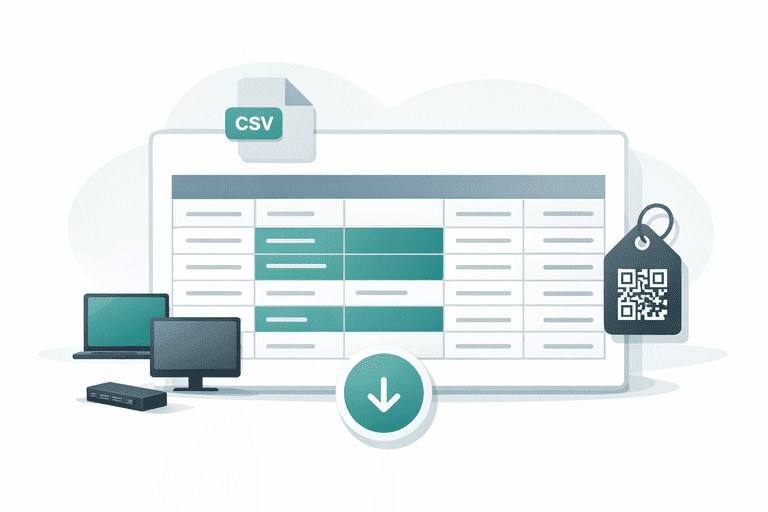
TL;DR
- Spreadsheets are useful to start, but they break when assignment and return workflows grow.
- A practical replacement keeps your existing fields, then adds check-in/out, history, and audit sessions.
- If your team is 1-10 IT staff, start with one category (laptops) and migrate in 2 weeks.
Why Teams Look for an Excel Alternative
Most teams start with a CSV register because it is fast and familiar. The issue is not Excel itself. The issue is that daily operations become hard to trust when many people update records.
Typical pain points:
- ownership fields drift from reality
- return tracking is inconsistent
- no reliable history of who had what and when
- audits become cleanup projects
If this sounds familiar, review the baseline problem here: Why Spreadsheets Don’t Work for Asset Tracking (And What to Use).
Decision Table: Spreadsheet vs System of Record
| Decision point | Excel / Google Sheets | Asset tracking system |
|---|---|---|
| Assignment history | Manual notes, easy to miss | Automatic event history |
| Check-in/out workflow | Ad hoc process | Built-in workflow |
| Audit readiness | Manual reconciliation | Session-based verification |
| Multi-user editing | Conflict-prone | Controlled updates + roles |
| Time to trust data | High effort | Faster after setup |
If you are deciding between a lightweight tool and ERP-first rollout, use this comparison: Asset Tracking Software vs ERP Modules: What to Choose?.
2-Week Migration Plan (No Big-Bang Rewrite)
Week 1: Stabilize your register
- Keep your current CSV as source input.
- Clean only core columns: asset ID, serial, assignee/location, status.
- Define one owner for data acceptance.
You can start from this structure: IT Asset Register Template (CSV).
Week 2: Move daily operations out of spreadsheets
- Run live check-in/out with real users.
- Capture assignment and return events in one place.
- Run one audit session and reconcile mismatches.
If audits are the first workflow breaking in Excel, use the narrower migration page: Audit Excel Alternative for IT Assets (Small Team Migration Guide).
For operational rollout patterns, use: How to Track Company Assets (Without Overcomplicating It).
Common Objections (and Practical Answers)
“We are too small to need software.”
If you have frequent handovers, remote users, or offboarding churn, workflow reliability matters more than team size.
“Migration will take too long.”
For small IT teams, migration can be incremental. Start with laptops and shared peripherals, then expand.
“We still need CSV export.”
That is normal. Use CSV for import/export and reporting snapshots, but keep live operational status in the system of record.
Next Step
If your team needs to stop spreadsheet drift this month, run a pilot with real assets and real handovers:
- Product walkthrough: How it works
- Start a pilot: Start free trial
Conclusion
An IT asset register template is a good starting point. But for small IT teams, Excel alternatives become necessary once ownership, returns, and audits need repeatable workflows.
Use spreadsheets for structure, then move operations to a system that keeps your data trustworthy day to day.
Related reading
- IT Asset Register Template (CSV)
- Audit Excel Alternative for IT Assets (Small Team Migration Guide)
- IT Asset Audit Checklist (for Small IT Teams)
- Estimate your asset-tracking workload and admin cost
- Asset Management Software for Schools: Spreadsheet Guide
- Asset Tracking Software vs ERP Modules: What to Choose?
- Inventory Management Integrations with Accounting Software
- Asset tracking built for small IT teams
Methodology
- This page was reviewed against adjacent InvyMate workflow pages and the external references listed below.
- Recommendations are written for practical asset-tracking operations and are intended to stay specific about workflow scope, tradeoffs, and implementation boundaries.
- This page was reviewed as a comparison or buyer-evaluation page, so the emphasis is on workflow fit, rollout effort, and operational tradeoffs rather than feature-list breadth.
Related Standards and Guidance
- CIS Critical Security Control 1: Inventory and Control of Enterprise Assets · Center for Internet Security
- NIST SP 800-171 Rev. 3 · NIST
Try InvyMate
Start tracking assets with QR codes and scheduled audits.