Industries
Education Lab Equipment Tracking for Small IT Teams
Operational guidance for tracking lab equipment, tablet carts, and shared device rooms in schools and universities without turning this into a broad software
Keep this page narrowly operational around room ownership, kits, checkout, and verification rather than broad software-buying language.
- IT Asset Management Hub (Small IT Teams) · hub overview
- Asset Tracking Software for Schools Buyer Guide for Teams · related article
- School Asset Tracking Software: Small-Team Comparison · related article
- IT Asset Register Template (CSV) for Small IT Teams · related article
Audience: School and university IT teams controlling device carts, lab gear, AV kits, and shared classroom equipment
How To Track Company Assets · guide
Inventory Sessions · feature page
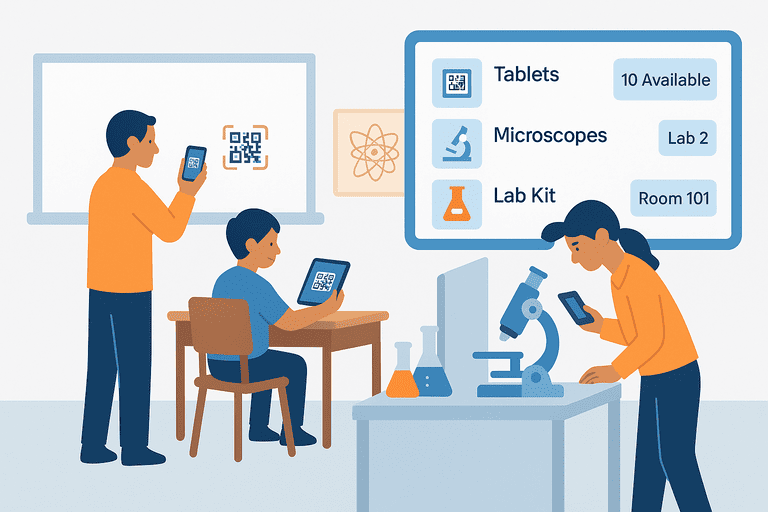
Use this page for lab equipment, tablet carts, classroom tools, maker-space kits, and shared device-room workflows in schools and universities. It is not the broad school software buyer page. It is the operations guide for teams that need tighter control of equipment that moves between rooms, instructors, and students.
Introduction
Education teams do not just track “school assets” in the abstract. They track:
- laptop carts
- microscopes and sensors
- cameras and AV kits
- chargers, adapters, and shared peripherals
- room-specific tool sets that disappear when no one owns the handoff
That is why education lab equipment tracking usually fails in the same three places:
- no stable baseline register
- no repeatable checkout workflow
- no recurring verification by room or lab
If your main question is software selection, start with Asset Tracking Software for Schools (Small IT Team Buyer Guide). This page stays narrower: how to keep shared education equipment visible and auditable day to day.
TL;DR
- Track labs, carts, and shared classroom kits as operational groups, not just loose assets.
- Use one baseline register before you add QR labels or checkout rules: IT Asset Register Template (CSV).
- Give every room, cart, or kit a named owner even when equipment is shared.
- Verify by location on a fixed cadence so missing items are caught during the term, not at year-end.
1. What Education Labs Actually Need to Track
The operational problem is not only “What do we own?” It is also:
- which room should this item be in
- who used it last
- whether the full kit came back
- whether it is still safe and ready for the next class
For most small IT teams, the practical tracking groups look like this:
| Group | Examples | Why it matters |
|---|---|---|
| Device carts | laptops, tablets, chargers | high movement, high loss risk |
| Lab equipment | microscopes, probes, 3D printers | maintenance and location drift |
| AV kits | cameras, tripods, microphones | cross-room borrowing and incomplete returns |
| Shared room kits | adapters, remotes, presentation gear | small parts disappear first |
| Library/loaner devices | laptops, tablets, hotspots | user assignment and due-date control |
This is also why the education-lab workflow should stay separate from the broader buyer page. Lab teams need room control, kit completeness, and verification discipline more than high-level software comparison language.
2. Build the Baseline Register Before Anything Else
Do not start with labels. Start with a register that answers four questions:
- what is this item
- what group or room belongs to it
- who is responsible for it
- when was it last verified
If you need a field structure first, use: IT Asset Register Template (CSV).
For education labs, add or standardize these fields:
asset_idasset_nameasset_typeserial_numberroom_or_labassigned_ownerkit_nameorcart_idstatuslast_verified_datecondition_notes
That is usually enough to run audits, handoffs, and exception follow-up without turning the register into a giant spreadsheet project.
3. Track Kits and Carts as Units, Not Just Single Items
A tablet cart or science kit creates friction when the “main” item returns but the accessories do not.
Treat these as grouped assets:
- cart + devices + chargers
- camera + battery + memory card + tripod
- projector + cable set + remote + adapter
- microscope + case + power supply + accessory kit
Use one parent label for the kit or cart and keep child items tied to it in the register. That makes verification faster and makes missing accessory disputes easier to close.
If your team already sees handoff problems, pair this with a stricter return workflow: Asset Check-In/Out Flow Design: UX That Reduces Errors.
4. Use a Simple Checkout Flow for Shared Education Equipment
Most education teams do not need a complex circulation model. They need a consistent one.
Use this default flow:
- Scan or confirm the asset or kit ID.
- Select the borrower or responsible teacher.
- Confirm room, due time, and visible condition.
- Record exceptions before handoff.
- On return, verify completeness and update status immediately.
This matters most for:
- student loaner devices
- classroom AV kits
- portable lab gear
- exam-period shared equipment
If the item moves often but usage is short, keep the workflow light. If the item is expensive, fragile, or often returned incomplete, add condition and accessory confirmation to every handoff.
5. Verification by Room Beats “Annual Inventory”
Year-end audits are too late for education labs. The better default is recurring room-level verification during the term.
Use this cadence:
| Asset type | Suggested cadence | What to verify |
|---|---|---|
| Device carts and loaners | Monthly | count, assignment, charger completeness |
| Science or media lab equipment | Monthly or quarterly | room location, condition, accessory completeness |
| High-value shared devices | Monthly | current owner, visible condition, missing parts |
| Lower-movement room assets | Quarterly | existence, status, room match |
This gives small IT teams a way to catch drift while school is still in session.
If you need a practical audit process to run these checks, use: Inventory Audit Checklist: What to Verify and How Often.
6. Maintenance Matters More in Labs Than in Generic Inventory
Lab and classroom equipment often needs more than location tracking. It also needs service history and condition review.
Examples:
- microscopes with damaged optics
- tablets with battery degradation
- 3D printers needing calibration
- projectors with lamp or filter issues
When an asset class needs recurring service, connect the register to a simple maintenance cadence instead of burying those notes in free text. Start with: IT and Office Equipment Maintenance Schedule Template.
7. Common Failure Points in Education Lab Tracking
No one owns the room inventory
Shared rooms drift when responsibility is vague. Every lab, cart pool, or checkout point needs a named operational owner.
The register tracks devices but not accessories
That is how teams “lose” chargers, styluses, adapters, and cables every term.
Verification happens only during pressure moments
Move the checks earlier and more often. Monthly room verification is easier than emergency reconciliation before inspections or term-end returns.
One page tries to serve every education intent
Keep this page operational. Use the broader buyer page and comparison pages for commercial evaluation intent.
8. Example: Small-Team Education Lab Tracking Setup
Use this as a starting operating model:
| Area | Default rule |
|---|---|
| Register | one row per item, plus cart/kit grouping |
| Ownership | one room or cart owner, even for shared assets |
| Checkout | confirm borrower, due time, and completeness |
| Verification | monthly for mobile/shared items, quarterly for lower-movement assets |
| Exceptions | log damage, missing accessories, and overdue returns the same day |
For teams expanding beyond labs into broader school-wide control, continue with: School Asset Tracking Software Comparison for Small IT Teams.
Conclusion
Education lab equipment tracking works when the process is specific:
- one baseline register
- one owner for each shared environment
- one repeatable checkout flow
- one recurring verification rhythm
That is enough to control carts, shared devices, and lab tools without turning the workflow into a heavyweight enterprise project.
Related reading
- Asset Tracking in Educational Institutions (Schools & Universities)
- School Asset Tracking Software Comparison for Small IT Teams
- IT Asset Register Template (CSV) for Small IT Teams
- IT and Office Equipment Maintenance Schedule Template
- Managing Shared Tools in Workshops and Makerspaces
Methodology
- This page was reviewed against adjacent InvyMate workflow pages and the external references listed below.
- Recommendations are written for practical asset-tracking operations and are intended to stay specific about workflow scope, tradeoffs, and implementation boundaries.
Related Standards and Guidance
- Criteria for Distinguishing Equipment From Supply Items · National Center for Education Statistics
- Handbook for Property Management · U.S. Department of Education
Try InvyMate
Start tracking assets with QR codes and scheduled audits.